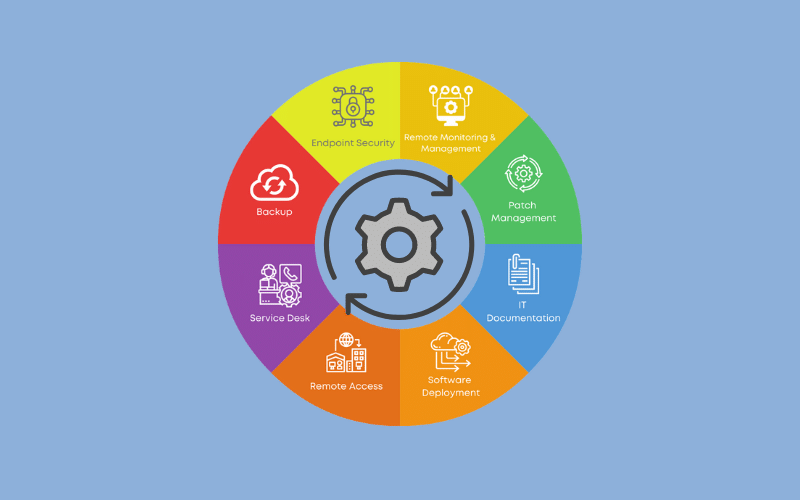
Most IT problems give warning signs before they stop your business: a disk filling up, a backup quietly failing, a laptop weeks behind on security updates. Remote monitoring and management (RMM) is the technology that lets an IT team spot those signs and fix them early, often before anyone notices. This guide explains what RMM is, how it works, what it covers and what it means for your business.
What is remote monitoring and management (RMM)?
Remote monitoring and management is software that lets an IT provider keep watch over your computers, servers and network devices, and manage them remotely from a central dashboard. A small, secure agent is installed on each device. It reports back on the device’s health and allows the IT team to carry out maintenance without needing to be on site or interrupt the person using it.
RMM does two jobs:
- Monitoring: continuously gathering information about the health and security of your devices and network, and raising alerts when something is wrong or about to go wrong.
- Management: carrying out routine IT tasks remotely and at scale, such as installing updates, deploying software, running maintenance scripts and connecting to a device to fix a problem.
RMM sits at the heart of modern managed IT support. It is what allows a provider to move from simply fixing things when they break to preventing problems in the first place.
Why RMM matters for your business
Most people have experienced the frustration of IT getting in the way of work: Windows forcing a restart in the middle of an important document, a server going down on a busy morning, or a problem that turns out to be “because the software hasn’t been updated”.
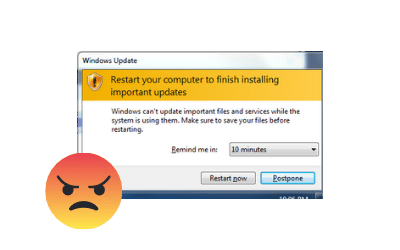
Each of these costs time, and many are avoidable. With staff working from home, in the office and on the move, simply “popping in to IT” is often not an option either. RMM tackles these issues in several ways.
Problems are caught before they cause downtime
RMM tracks warning signs such as low disk space, failing hard drives, high memory use, stopped services and failed backups. Alerts go to the support team, who can deal with the issue before it turns into an outage. In many cases the problem is resolved before you are aware of it.
Security updates are applied consistently
Unpatched software is one of the most common ways attackers get in. RMM keeps operating systems and key applications up to date on a controlled schedule, and shows at a glance which devices are falling behind. We explain why this matters in the hidden risk of outdated software.
Faster fixes, wherever your team works
Because the support team can securely connect to a device, most problems are fixed remotely in minutes rather than waiting for an engineer to visit. This works the same whether someone is in the office, at home or on the road.
Less disruption to your working day
Updates and maintenance can be scheduled outside working hours or at agreed times, so staff are not interrupted by forced restarts or slow machines.
Lower, more predictable IT costs
Preventing problems is cheaper than fixing them. Automating routine tasks also means support time is spent on the issues that matter to your business, not on repetitive manual checks.
What does RMM monitor?
A good RMM platform covers every part of your IT estate:
- Windows and Mac desktops and laptops: health, performance, disk space, updates and security status.
- Servers: services, storage, hardware health, performance and event logs.
- Network devices: firewalls, routers, switches, wireless access points and printers.
- Backups: whether jobs completed successfully and when the last good backup ran.
- Security tools: whether antivirus and endpoint protection are installed, up to date and reporting.
- Cloud infrastructure: virtual servers and services hosted in platforms such as Microsoft Azure.
What can RMM manage?
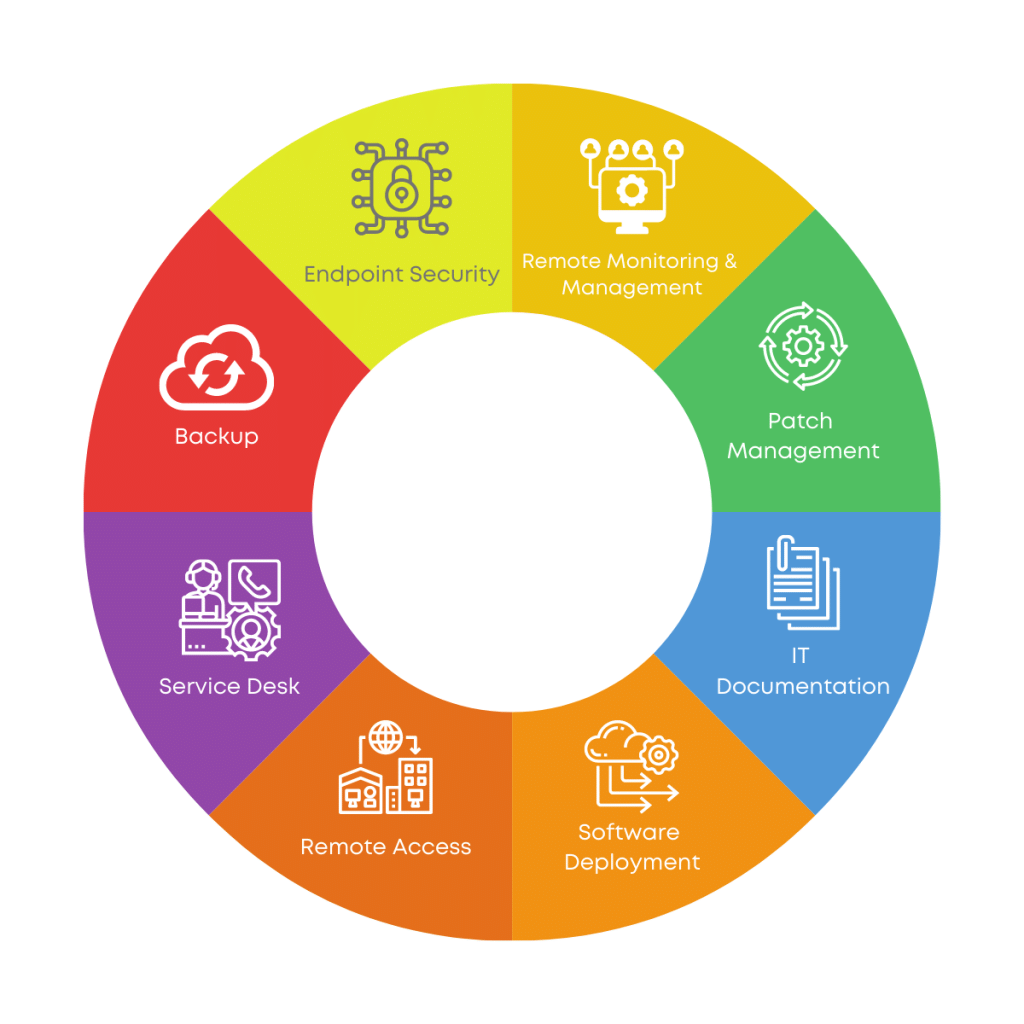
Patch management
Operating system and application updates are tested, approved and installed on an agreed schedule, keeping devices secure without disrupting working hours. Reports show exactly which devices are fully patched.
IT inventory and asset tracking
RMM keeps an up-to-date record of every device, its specification, software, warranty status and who uses it. This makes planning replacements, handling starters and leavers, and answering insurance or audit questions much easier.
Software deployment
New applications can be installed on one device or across the whole business remotely, so staff get the tools they need quickly and consistently.
Remote access and support
With the user’s permission, a support engineer can securely connect to a device to see the problem and fix it, with no need to describe error messages over the phone.
Automation and scripting
Routine tasks such as clearing temporary files, restarting stuck services or applying security settings can be automated, so they happen reliably every time.
Endpoint security
RMM works alongside your antivirus and endpoint protection to flag devices that are unprotected, out of date or showing signs of compromise, so action can be taken quickly.
RMM and cyber security
RMM is a key part of a sensible security setup. Many of the basic controls that stop most attacks depend on knowing what devices you have and keeping them updated, and RMM provides exactly that visibility.
This is particularly relevant for Cyber Essentials. Since 27 April 2026, failing to apply critical and high-risk security updates within 14 days of release is an automatic fail under the new requirements. RMM makes that timescale achievable and gives you the evidence to prove it. It also supports the scheme’s requirements for malware protection, secure configuration and an accurate record of devices in scope.
RMM is not a replacement for other security measures such as firewalls, multi-factor authentication and staff training, but it ties them together and makes sure nothing slips through the gaps.
RMM vs traditional break-fix IT support
Under a traditional break-fix model, you call for help when something stops working, and you pay for the time it takes to fix. Nobody is looking at your systems in between, so small issues grow until they cause downtime.
With RMM as part of a managed service, the approach is proactive:
- Issues are spotted early and often fixed before they affect anyone.
- Updates and maintenance happen on a schedule, not when someone remembers.
- Costs are predictable, usually a fixed monthly fee per user.
- Your IT provider has a full picture of your systems, so fixes are faster when something does go wrong.
Is RMM secure?
Because RMM tools have access to every device, they must be protected carefully. A responsible IT provider will:
- Use a reputable, regularly updated RMM platform.
- Protect access to the platform with strong, phishing-resistant MFA.
- Limit access to named engineers and log every remote session.
- Ask for permission before connecting to a user’s screen, unless agreed otherwise for maintenance.
- Remove agents promptly when devices are retired.
It is always worth asking a prospective IT provider how they secure their own tools.
Frequently asked questions
Will RMM slow down our computers?
No. The agent is lightweight and runs quietly in the background. Most users never notice it, and the maintenance it enables usually makes devices run better.
Can our IT provider see what staff are doing?
RMM monitors device health and security, not personal activity. Remote connections to a user’s screen are made for support purposes, normally with the user’s knowledge.
Does RMM work for remote and hybrid staff?
Yes. The agent works wherever the device has an internet connection, so home and travelling users are supported in the same way as office staff.
Do small businesses need RMM?
Small businesses often benefit the most, because they rarely have in-house IT staff to keep an eye on systems. RMM gives them the same proactive care as a larger organisation.
Is RMM included in managed IT support?
With Information Solutions, yes. RMM is a standard part of our managed IT support, alongside our helpdesk, patching, backup monitoring and security management.
How Information Solutions uses RMM
Every client on our managed IT support plan is covered by our RMM platform. Our Shropshire-based team uses it to keep devices patched, monitor servers and backups, deploy software and fix problems remotely, so most issues are resolved quickly and many are prevented altogether. We aim to fix over 90% of issues on the first call, and you will always speak to a real person.
RMM also underpins our managed cyber security and backup and disaster recovery services, and helps clients stay ready for Cyber Essentials.
Want to know how proactive support could work for your business? Book a free IT review.